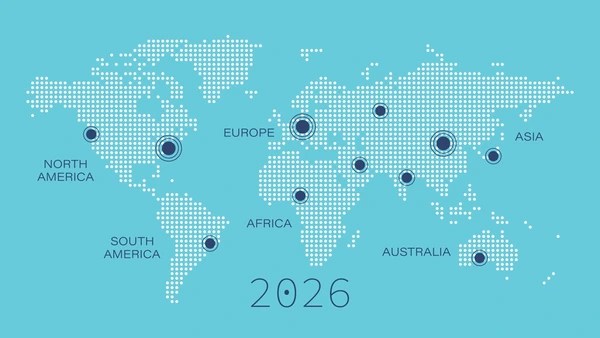
- What exactly is a background map?
- A background map often referred to as a base map or foundational map provides the underlying geographical context for an application or visualization. It displays essential features like roads water bodies administrative boundaries and terrain enabling users to orient themselves and interpret overlaid data effectively.
- Why are HD images important for background maps in 2026?
- High Definition images are crucial for background maps in 2026 because users expect crisp detailed visuals on their high resolution devices. HD maps provide enhanced clarity improved aesthetics and better data interpretation especially when zooming in on specific areas. They are essential for a premium user experience.
- How do background maps enhance local search on platforms like Google Maps?
- Background maps enhance local search by providing the visual framework upon which business listings points of interest and navigation routes are displayed. They help users quickly understand the geographical relationship between searched locations and their surroundings making discovery and routing more intuitive and efficient.
- Can I customize background maps for my personal projects or business?
- Yes many platforms like Mapbox Studio and Google Maps Platform offer extensive customization options for background maps. You can adjust colors fonts features and even add your own data layers to create a unique and branded mapping experience tailored precisely to your project's needs.
- What role do background maps play in AI Overviews and modern navigation systems?
- Background maps are fundamental to AI Overviews and modern navigation systems providing the essential spatial data for route calculation predictive traffic analysis and augmented reality features. They feed AI algorithms with geographical context allowing for highly accurate and intelligent real time guidance and information delivery.
- Are there free open source options for high quality background maps?
- Absolutely OpenStreetMap is a prominent example of a free open source project that provides highly detailed and community driven background map data. Libraries like Leaflet JS also allow developers to integrate and style OpenStreetMap data for various applications offering flexible and cost effective mapping solutions.
- How do I ensure my background map is mobile friendly and performs well on various devices?
- To ensure mobile friendliness and performance choose responsive map libraries and platforms that optimize rendering for different screen sizes and resolutions. Utilize efficient tile loading strategies and minimize unnecessary data requests. Regularly test your maps on diverse mobile devices to guarantee a smooth and fast user experience.
Background maps are the unseen heroes of our digital world powering everything from navigation apps to sophisticated data visualizations. For Gen Z and Millennials always on the go understanding how to leverage these foundational mapping elements is crucial. This guide explores the versatile applications of background maps in 2026 from enhancing user experience in mobile apps to creating compelling presentations. Discover their role in urban planning logistics and even personalized travel itineraries. Learn about the platforms offering the best customization and high definition imagery ensuring your digital presence is both informed and visually striking. Navigating the complexities of geo spatial data becomes intuitive with the right background map. Get ready to elevate your digital mapping game.
Background maps are the silent architects of our digital landscapes. Whether you are navigating your city planning a road trip or designing a new app these foundational visuals provide context and clarity. For Gen Z and Millennials accustomed to intuitive digital experiences understanding and utilizing background maps effectively is a game changer. This guide cuts straight to how you can harness these powerful tools for everything from personal projects to professional applications right here in the US.
Frequently Asked Questions
Where can I find the best background map resources for my projects?
The absolute best locations for high quality background map resources include Google Maps Platform for robust APIs Mapbox Studio for unparalleled customization and OpenStreetMap for open source flexibility. Each offers unique benefits for various project scales.
How can Local Maps help me verify real-time data for background map integration?
Pull up your preferred mobile Maps app like Google Maps or Apple Maps to verify real-time location data check road conditions or confirm points of interest. This ensures your background maps are current and accurate when integrating with your projects or apps.
What are the best times to use customizable background maps for event planning?
Customizable background maps are most effective during the initial planning and promotional phases of any event. They are ideal for:
- Visualizing venue layouts clearly
- Highlighting key points of interest for attendees
- Optimizing guest flow and wayfinding
Quick Local Guide:
- Google Maps Platform: Web Mapping API
- Mapbox Studio: Custom Design
- OpenStreetMap: Open Source Data
- Leaflet JS: Lightweight Libraries
All maps focus on background map
Key Highlights
Essential for app navigation data visualization and design Customization options for unique projects High definition imagery for clarity Integration with various digital platforms Real time data feeds for accuracy